
Need to cancel an appointment? Here’s how to do it in your Rosy account.
1. Log into your Rosy account, need the link? Click here.
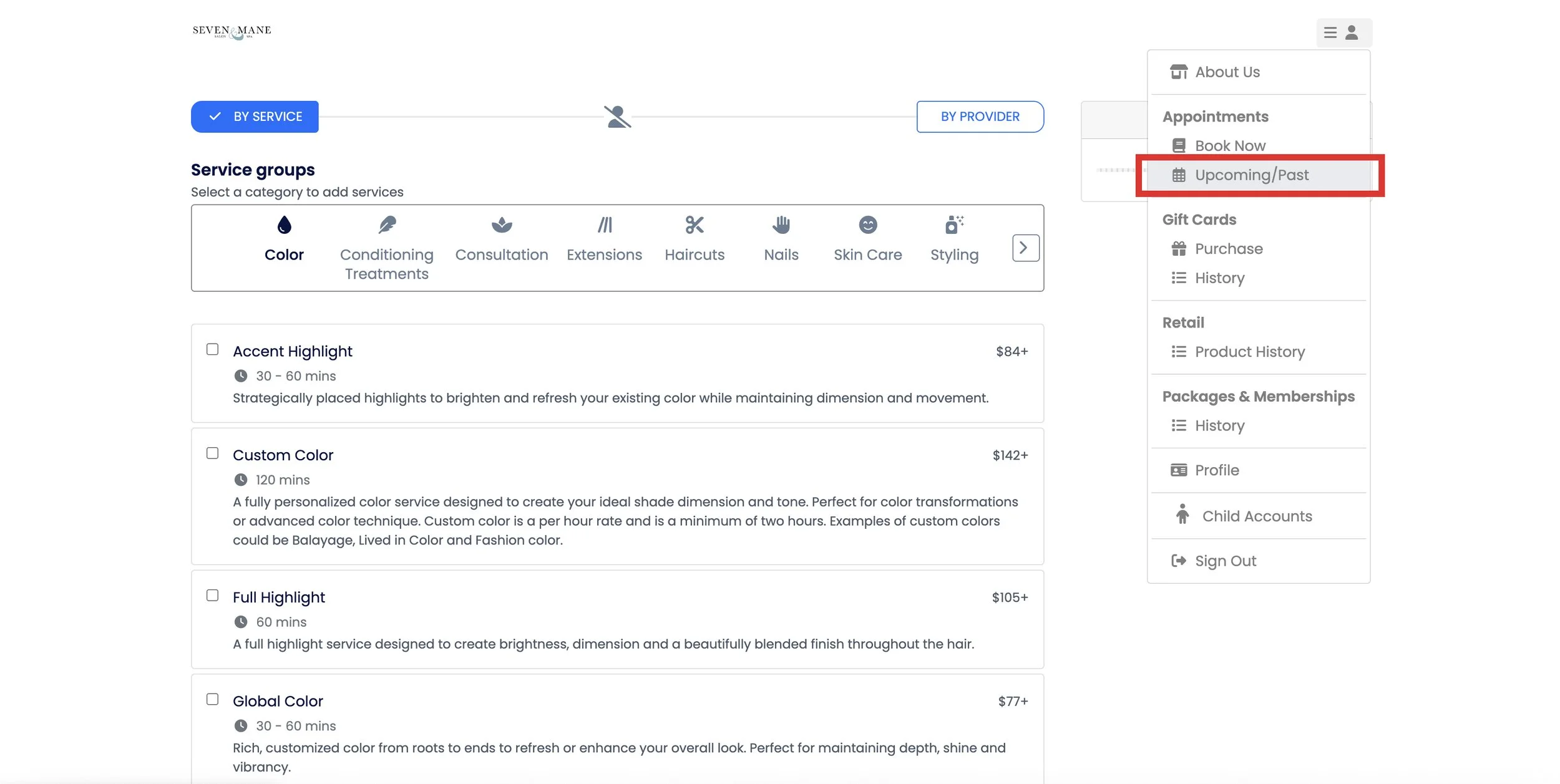
2. Once logged in, click or tap the menu in the top right corner (the three lines next to the person icon), and select “Upcoming/Past”. This takes you to your upcoming booked appointments.
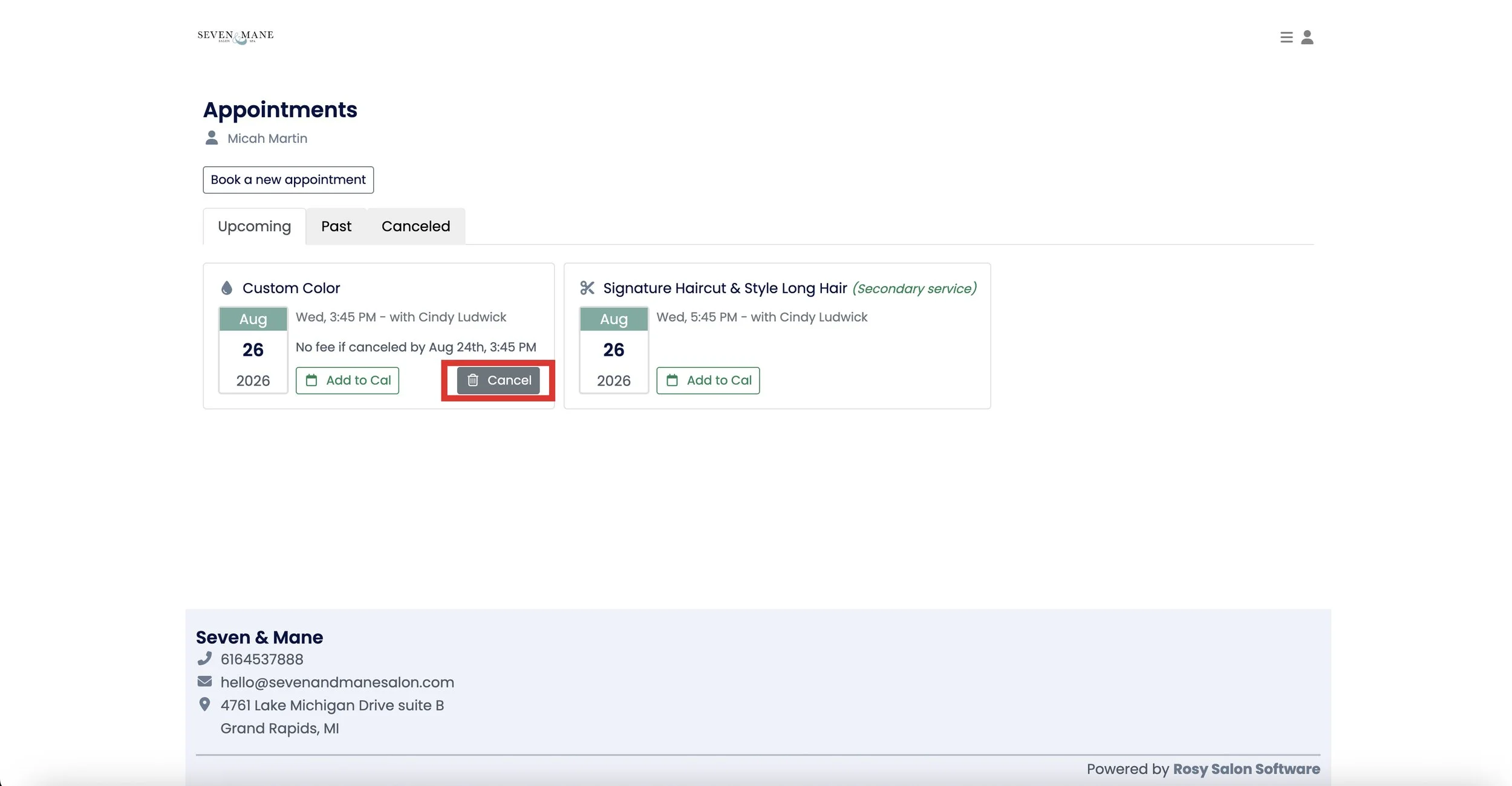
3. In your appointments page, find the appointment you’d like to cancel. Then, click or tap the “Cancel” button.
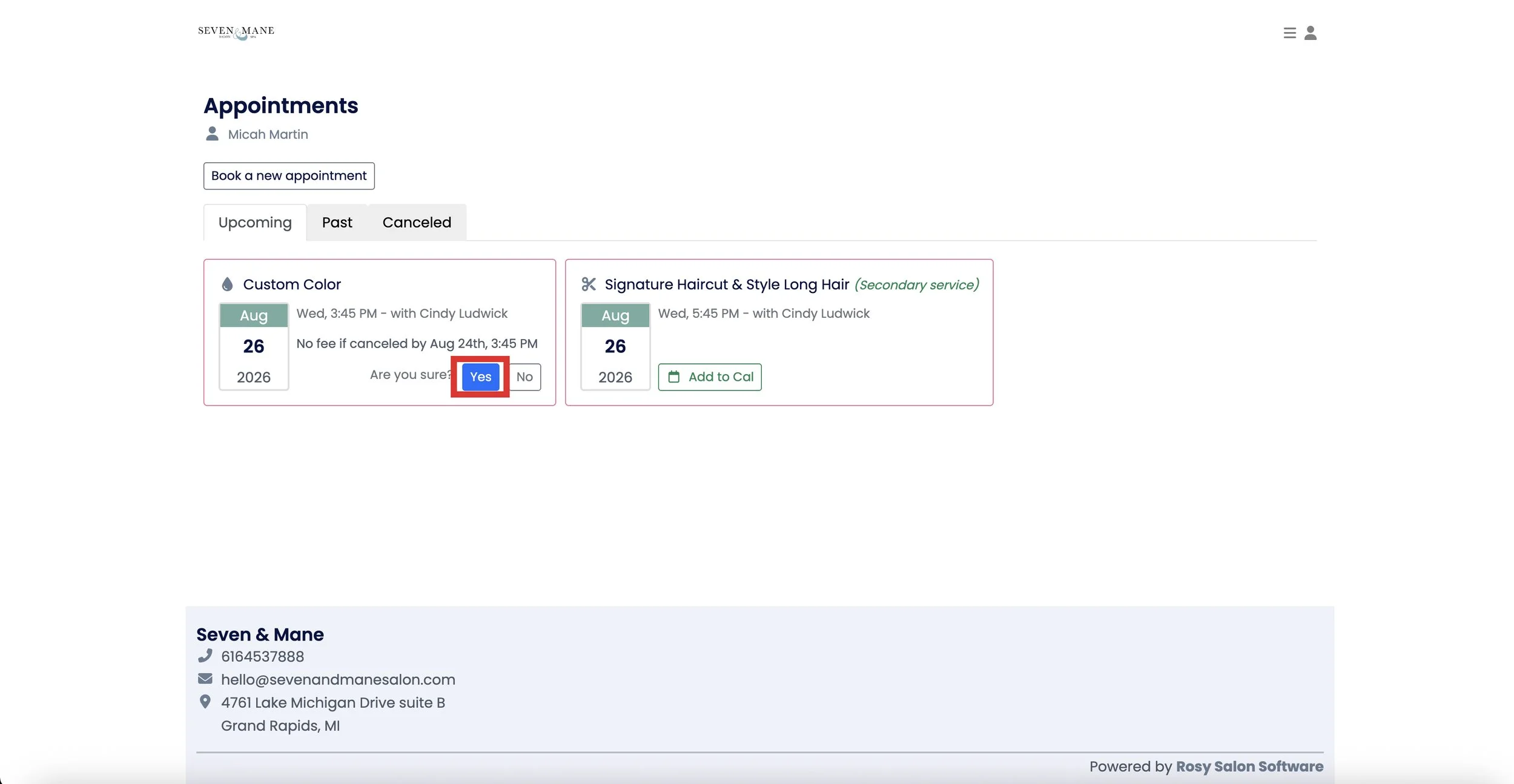
4. After clicking “Cancel”, you will be asked if you are sure you want to cancel the appointment. Click “yes” if you would still like to cancel.
5. After confirming you’d like to cancel, you should be redirected back to your appointments page, with the canceled appointment now gone. If you have any issues while trying to cancel, give us a call!